Note
Go to the end to download the full example code.
String categories
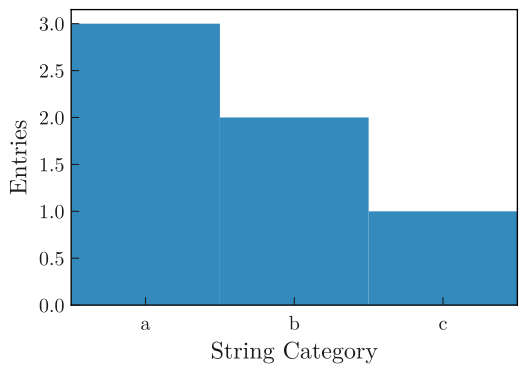
Plot a 1D histogram with string categories.
###
import boost_histogram as bh
import matplotlib.pyplot as plt

from plothist import plot_hist

# 3 str categories
str_categories = ["a", "b", "c"]

# String category axis with 3 bins
axis = bh.axis.StrCategory(categories=str_categories)

# 6 data points,
data = ["a", "a", "a", "b", "b", "c"]

# Create and fill the histogram
h = bh.Histogram(axis, storage=bh.storage.Weight())
h.fill(data)

# Plot the histogram
fig, ax = plt.subplots()

plot_hist(h, ax=ax)

# Set the x-ticks to the middle of the bins and label them
ax.set_xticks([i + 0.5 for i in range(len(str_categories))])
ax.set_xticklabels(str_categories)
ax.minorticks_off()

ax.set_xlabel("String Category")
ax.set_ylabel("Entries")
ax.set_xlim(0, len(str_categories))

fig.savefig("1d_str_category.svg", bbox_inches="tight")
Total running time of the script: (0 minutes 0.173 seconds)