Style and colors
Default style
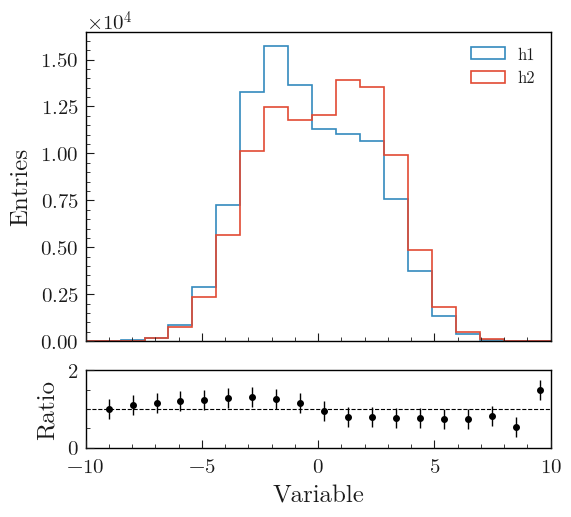
import plothist automatically sets the matplotlib style to a presentation and publication ready style, with large and readable axis labels and legend.
Here are shown two simple comparison plots done with matplotlib functions only. On the left, the default matplotlib style is used. On the right, import plothist has been added to the same script used to generate the plot on the left:

Color palettes
Multiple palettes are available in plothist in order to make beautiful plots. The function get_color_palette(cmap, N) gets N different colors from a chosen cmap colormap.
Default palette
When no colors are specified for a plot, the default palette of the plothist style is applied (adapted from here):

To get this color palette, the function get_color_palette() can be used with ggplot as the argument:
from plothist import get_color_palette

colors = get_color_palette("ggplot", 7)

print(colors)
# ['#348ABD','#E24A33', '#988ED5', '#777777', '#FBC15E', '#8EBA42', '#FFB5B8']
Cubehelix palette
When displaying quantities such as yields or intensities, it is recommended to utilize Perceptually Uniform Sequential Colormaps like the cubehelix colormap for accurate representation.
We provide the cubehelix palette (adapted from here) to create such colormap:
from plothist import get_color_palette

colors = get_color_palette("cubehelix", 7)

You can also use the cubehelix_palette() function to tweak the colormap parameters.
Matplotlib palettes
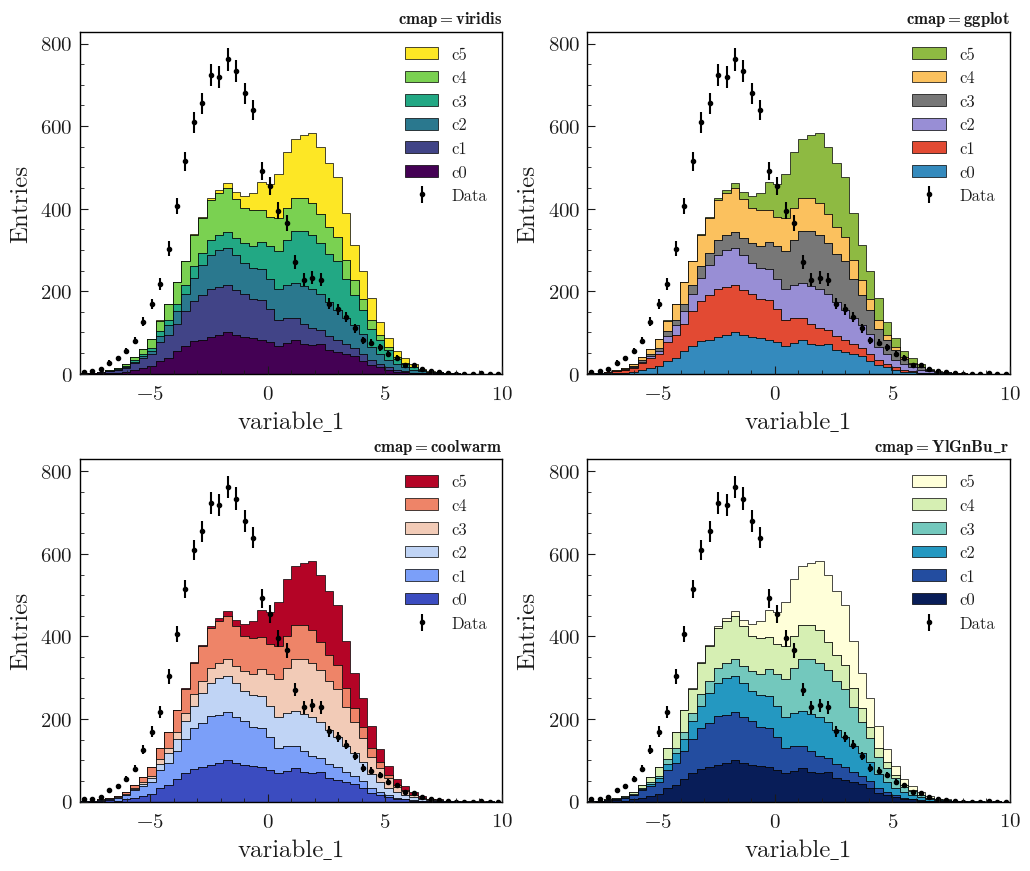
The function get_color_palette(cmap, N) can also take any cmap matplotlib color palette and sequence it in N different colors (see here for the different cmap names).
We recommend using viridis, coolwarm or YlGnBu_r:
from plothist import get_color_palette

# From model examples
...
background_categories_colors = get_color_palette("Any cmap name", len(background_categories))
...
viridis:

coolwarm:

YlGnBu_r:

Setting style
If the style is not set automatically by import plothist, you can set it manually with the function set_style():
from plothist import set_style

set_style()