Note
Go to the end to download the full example code.
Comparison
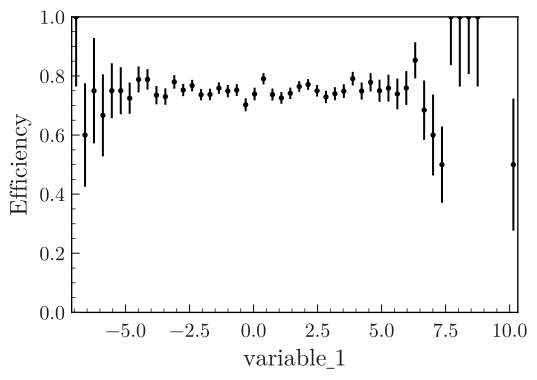
Plot the comparison between two 1D histograms.
from plothist_utils import get_dummy_data

df = get_dummy_data()

name = "variable_1"

x_total = df[name][df["category"] == 2]
x_sample = x_total[: int(len(x_total) * 0.75)]

x_range = (min(x_total), max(x_total))

from plothist import make_hist

h_sample = make_hist(x_sample, bins=50, range=x_range)
h_total = make_hist(x_total, bins=50, range=x_range)

###
import matplotlib.pyplot as plt

from plothist import plot_comparison

fig, ax = plt.subplots()

plot_comparison(h_sample, h_total, ax=ax, xlabel=name, comparison="efficiency")

fig.savefig("1d_comparison_only_efficiency.svg", bbox_inches="tight")
Total running time of the script: (0 minutes 0.704 seconds)