Note
Go to the end to download the full example code.
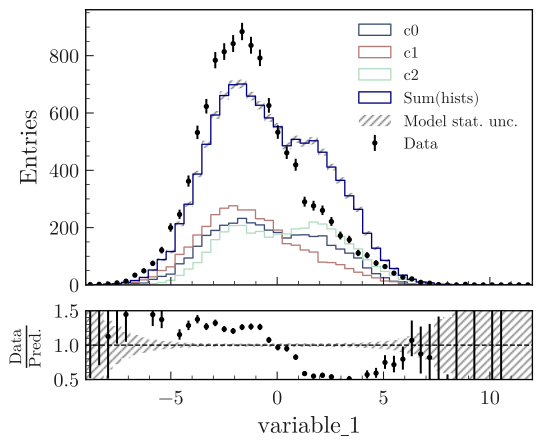
Data vs model with unstacked components
Plot data and a model with unstacked components.
from plothist_utils import get_dummy_data

df = get_dummy_data()

from plothist import get_color_palette, make_hist

# Define the histograms

key = "variable_1"
range = (-9, 12)
category = "category"

# Define masks
signal_mask = df[category] == 7
data_mask = df[category] == 8

background_categories = [0, 1, 2]
background_categories_labels = [f"c{i}" for i in background_categories]
background_categories_colors = get_color_palette(
    "cubehelix", len(background_categories)
)

background_masks = [df[category] == p for p in background_categories]

# Make histograms
data_hist = make_hist(df[key][data_mask], bins=50, range=range, weights=1)
background_hists = [
    make_hist(df[key][mask], bins=50, range=range, weights=1)
    for mask in background_masks
]

# Optional: scale to data
background_scaling_factor = data_hist.sum().value / sum(background_hists).sum().value
background_hists = [background_scaling_factor * h for h in background_hists]

###
from plothist import plot_data_model_comparison

fig, ax_main, ax_comparison = plot_data_model_comparison(
    data_hist=data_hist,
    unstacked_components=background_hists,
    unstacked_labels=background_categories_labels,
    unstacked_colors=background_categories_colors,
    xlabel=key,
    ylabel="Entries",
    model_sum_kwargs={"label": "Sum(hists)", "color": "navy"},
    comparison_ylim=[0.5, 1.5],
)

fig.savefig("model_examples_unstacked.svg", bbox_inches="tight")
Total running time of the script: (0 minutes 1.283 seconds)